
Mit FooEvents können Sie Karten auf Ihren Veranstaltungen/Produkten mit Google Maps anzeigen. Sie können zwischen zwei Karteneinbettungsmethoden wählen.
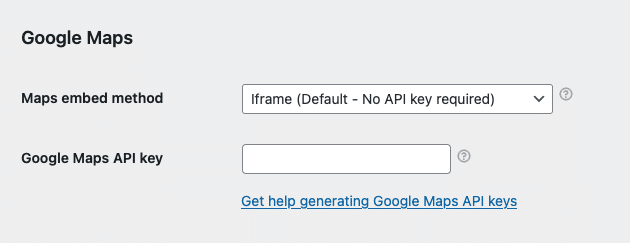
- Navigieren Sie zu FooEvents > Einstellungen > Integration > Google Maps
- Wählen Sie eine Karten einbetten Methode:
- Iframe - Kostenlos und erfordert keinen Google Maps API-Schlüssel - empfohlen
- JavaScript - Erfordert einen kostenpflichtigen Google Maps API-Schlüssel - Legacy-Option; vermeiden
Methode 1: Iframe - empfohlen
Die iframe-Methode ist einfach, kostenlos und leicht einzurichten. Wählen Sie einfach die iframe-Methode und geben Sie bei der Bearbeitung Ihrer Veranstaltungen die GPS-Koordinaten Ihres Veranstaltungsortes ein (siehe unten).
Methode 2: JavaScript - kostenpflichtige Legacy-Option; vermeiden
Die JavaScript-Methode ist eine alte Option, die vor der Einführung der iframe-Methode verfügbar war. Sie erfordert, dass Sie einen kostenpflichtigen Google Maps-API-Schlüssel einrichten. Außerdem ist sie anfälliger für JavaScript-Konflikte mit Themes und Plugins von Drittanbietern. Aus diesem Grund empfehlen wir die iframe-Option, da sie robuster ist und ähnliche Funktionen bietet.
Wenn Sie sich für die JavaScript-Methode entscheiden, müssen Sie einen Google Maps API-Schlüssel generieren. Bitte folgen Sie diesen Anweisungen:
- Sie können eine Google Maps API-Schlüssel indem Sie diese Anweisungen befolgen: https://developers.google.com/maps/documentation/javascript/get-api-key
- Sobald Sie eine Google Maps API-Schlüssel, geben Sie es hier ein: FooEvents > Einstellungen > Integration > Google Maps API-Schlüssel
Ermittlung der korrekten GPS-Koordinaten:
Das Folgende gilt sowohl für die iframe- als auch für die JavaScript-Einbettungsmethode.
Gehe zu maps.google.de und suchen Sie nach Ihrem Veranstaltungsort oder Ihrer Adresse. Wenn Sie ihn gefunden haben, klicken Sie mit der rechten Maustaste auf den Ort, klicken Sie auf die Koordinaten und kopieren Sie sie in Ihre Zwischenablage. Fügen Sie sie in das Feld “Google Map-Koordinaten"Feld bei der Bearbeitung Ihres Ereignisses in Ihrem WordPress Verwaltungsbereich.
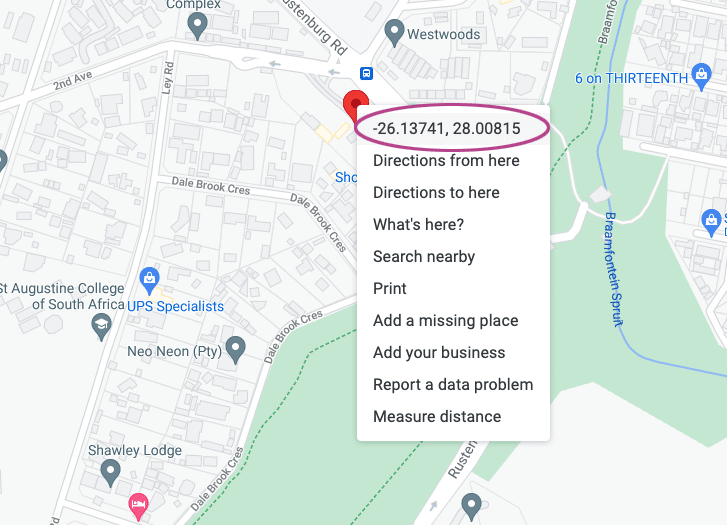
Das Google Maps-Koordinatenformat sollte wie folgt aussehen: -26.13741, 28.00815
Bei Bedarf können Sie mit dem folgenden Tool in dieses Format konvertieren:
http://www.gps-coordinates.net/gps-coordinates-converter
Setting the correct GPS coordinates
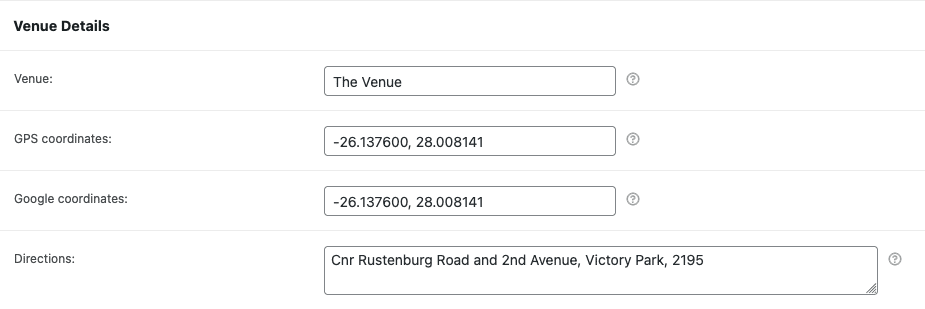
- Navigieren Sie zu einem Produkt, für das Ereignisse aktiviert sind.
- Blättern Sie nach unten zum Produktdaten Registerkarten.
- Öffnen Sie die Ereignis-Einstellungen und blättern Sie zur Registerkarte Details zum Veranstaltungsort Abschnitt.
- Geben Sie die GPS-Koordinaten im Google Map-Koordinaten Feld.
Viewing the Google Map
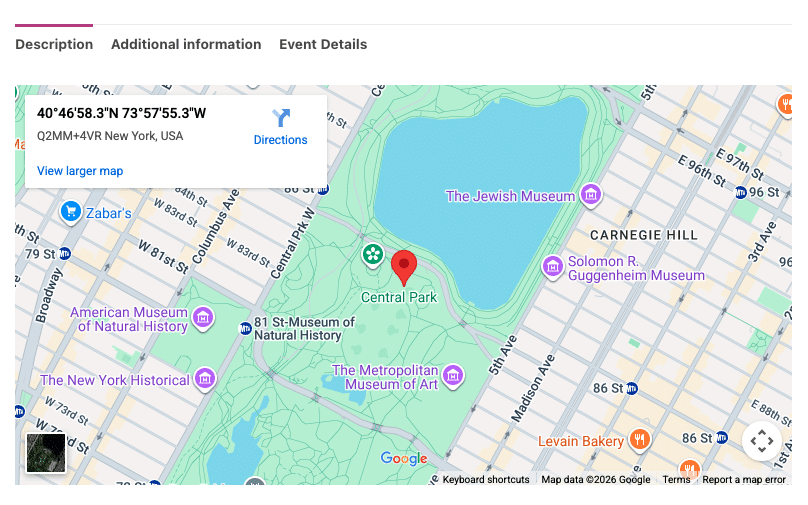
Navigieren Sie zu dem Produkt auf der Startseite Ihrer Website und blättern Sie zu den Produktregisterkarten:
 English
  German
  Dutch
Dutch  Spanish
  Italian
  Portuguese
  French
  Polish
  Czech
Czech  Greek
Greek