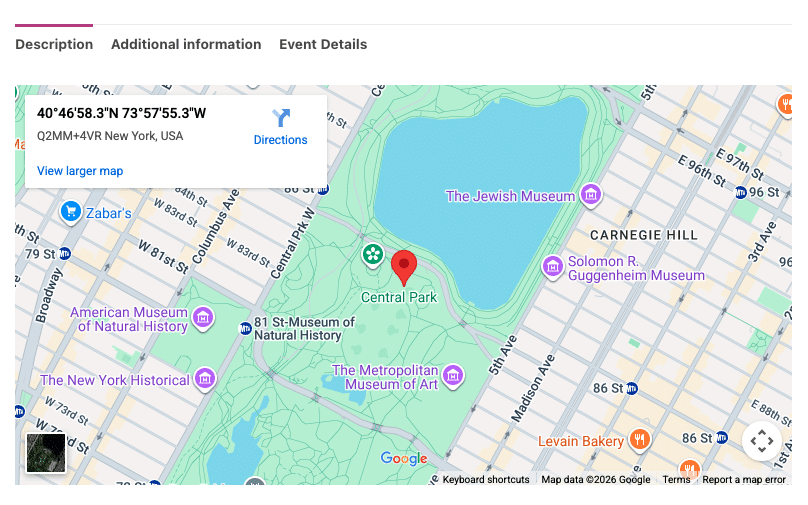
FooEvents te permite mostrar mapas en tus eventos/productos utilizando Google Maps. Puede elegir entre dos métodos de incrustación de mapas.
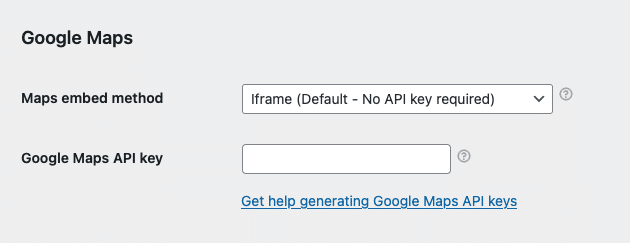
- Vaya a FooEvents > Ajustes > Integración > Google Maps
- Seleccione una Mapas Método Embed:
- Iframe - Gratuito y no requiere una clave API de Google Maps - recomendado
- JavaScript - Requiere una clave API de Google Maps de pago - opción heredada; evitar
Método 1: Iframe - recomendado
El método iframe es sencillo, gratuito y fácil de configurar. Solo tienes que seleccionar el método iframe e introducir las coordenadas GPS de tu local al editar tus eventos (véase más abajo).
Método 2: JavaScript - opción heredada de pago; evitar
El método JavaScript es una opción heredada que estaba disponible antes de que se introdujera el método iframe. Requiere la configuración de una clave API de Google Maps de pago. También es más propenso a conflictos de JavaScript con temas y plugins de terceros. Por este motivo, recomendamos utilizar la opción iframe, ya que es más sólida y ofrece una funcionalidad similar.
Si decide utilizar el método JavaScript, deberá generar una clave API de Google Maps. Siga estas instrucciones:
- Puede generar un Clave API de Google Maps siguiendo estas instrucciones: https://developers.google.com/maps/documentation/javascript/get-api-key
- Una vez que haya generado un Clave API de Google Maps, introdúzcalo aquí: FooEvents > Ajustes > Integración > Clave API de Google Maps
Obtener las coordenadas GPS correctas:
Lo siguiente se aplica tanto a los métodos de incrustación iframe como JavaScript.
Ir a maps.google.com y busca tu local o dirección. Una vez que la hayas encontrado, haz clic con el botón derecho del ratón en la ubicación, haz clic en las coordenadas y cópialas en el portapapeles. Pégalas en el campo “Coordenadas del mapa de Google"al editar el evento en su Área de administración de WordPress.
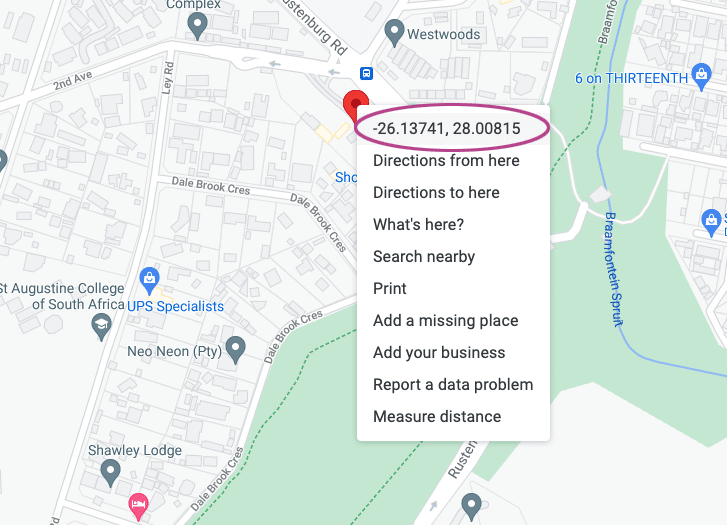
El formato de coordenadas de Google Maps debería ser el siguiente: -26.13741, 28.00815
Si es necesario, puedes convertir a este formato utilizando la siguiente herramienta:
http://www.gps-coordinates.net/gps-coordinates-converter
Establecer las coordenadas GPS correctas
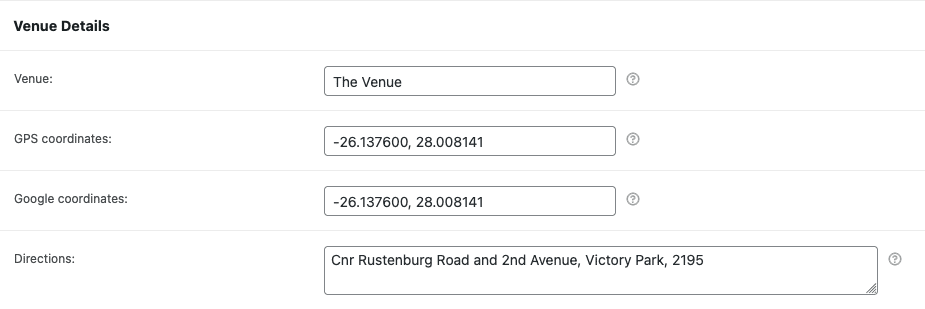
- Vaya a un producto que tenga eventos activados.
- Desplácese hasta el Datos del producto pestañas.
- Abra el Configuración de eventos y desplácese hasta la pestaña Detalles del lugar sección.
- Introduzca el Coordenadas GPS en el Coordenadas del mapa de Google campo.
Visualización del mapa Google
Navegue hasta el producto en la portada de su sitio y desplácese hasta las fichas de producto: