
In order to receive automatic updates, you need to connect your FooEvents purchase to the website where FooEvents is installed. You can do this from the Il mio account section on FooEvents.com. Once your plugin or bundle is connected to a site, you will receive a license key that can be entered in the FooEvents Impostazioni globali section on your WordPress website.
FooEvents uses one license key per website. If you have purchased multiple FooEvents plugins or bundles for the same website, you can connect them to the same site and use the same license key for all FooEvents plugins installed on that website.
License key setup instructions
If you purchased from FooEvents.com:
- Accedere a Il mio account on FooEvents.com.
- Aprire la sezione Licenses sezione.
- Find the FooEvents plugin or bundle that you want to use.
- Cliccare Connect to site.
- Select an existing site or add a new website URL.
- Once connected, copy the generated Chiave di licenza FooEvents.
- Go to your WordPress admin area and navigate to FooEvents > Impostazioni > Licenza.
- Paste your license key into the Chiave di licenza FooEvents field and click Salva le modifiche.
Suggerimento: When adding a new site, use the main website URL where FooEvents is installed. We recommend copying the URL from your browser address bar.
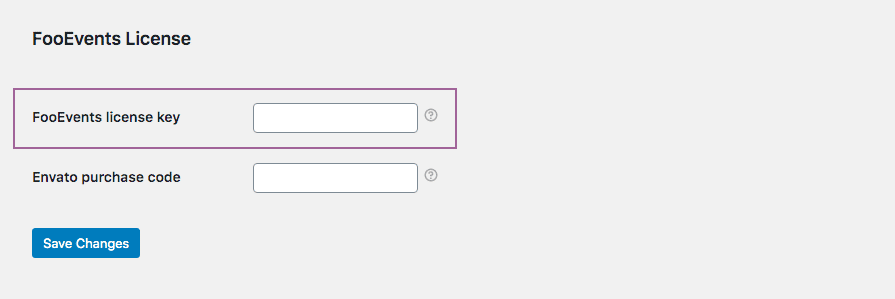
FooEvents POS customers must also confirm that the license key is saved in FooEvents POS > Impostazioni > Generale.

Se avete acquistato il plugin da CodeCanyon:
- Andare a FooEvents > Impostazioni > Licenza in your WordPress admin area.
- Paste your Envato purchase code into the Codice di acquisto Envato field and click Salva le modifiche.
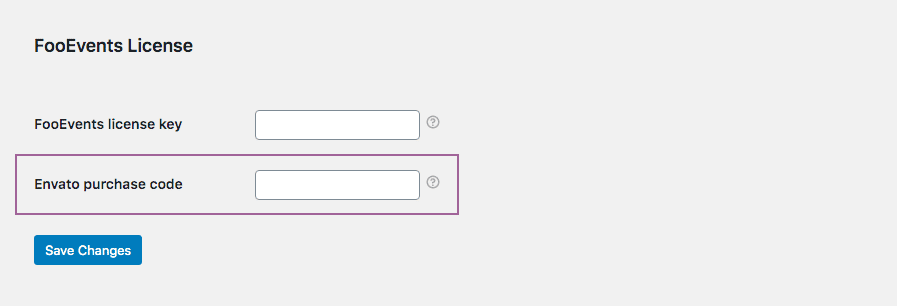
If you purchased from FooEvents.com and CodeCanyon:
- Connect your FooEvents.com purchases to your site and copy your FooEvents license key.
- Get your Envato purchase code from your CodeCanyon account.
- Andare a FooEvents > Impostazioni > Licenza.
- Paste your FooEvents license key into the Chiave di licenza FooEvents field and your Envato code into the Codice di acquisto Envato field, then click Salva le modifiche.
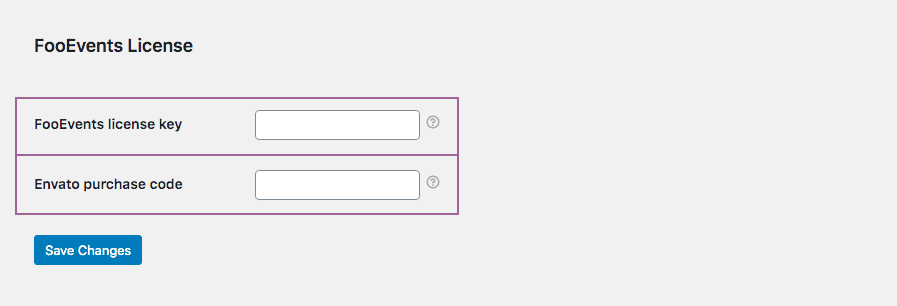
Licenze scadute
Only accounts with a valid FooEvents license have access to plugin downloads, support, and automatic updates. Most licenses include 12 months of updates and support from the purchase or renewal date.
If your license has expired, you can renew it from your FooEvents account. Expired licenses may still appear in your account for reference, but they will no longer receive automatic updates.
If you purchased FooEvents for WooCommerce from Envato/CodeCanyon, you can still download and manually update the plugin from your Envato account. To receive automatic updates and technical support, you will need valid support on Envato/CodeCanyon or an active license from FooEvents.com.
Please note that after connecting, changing, or renewing a license, it may take a short while before update options appear in WordPress due to caching and license synchronization.
Gli aggiornamenti dei plugin non funzionano
The most common reasons why automatic plugin updates are not working are:
- Your FooEvents license has expired.
- The plugin or bundle has not been connected to the correct site in your FooEvents account.
- The license key has not been saved in FooEvents > Impostazioni > Licenza.
- The website connected to the license key does not match the website where FooEvents is installed.
- You are using a different license key from the one shown for that site in your FooEvents account.
- The license was recently connected or renewed and the update check has not refreshed yet.
Grandfathered Multiple and Unlimited licenses
Existing Multiple-domain and Unlimited-domain licenses are still supported for existing customers. These licenses do not need to be connected to a specific website URL. Your license key will be shown in the Licenses section of your FooEvents account.
New Multiple-domain and Unlimited-domain licenses are no longer sold. If you need to use FooEvents on additional websites, you can purchase a separate license for each website and connect each license to the relevant site.
 English
  German
  Dutch
Dutch  Spanish
  Italian
  Portuguese
  French
  Polish
  Czech
Czech  Greek
Greek