
An attendee might intentionally or unintentionally arrive at your event on a different date that their ticket is valid for. This can potentially be missed by event staff during the check-in process, and while this may not be a problem for certain types of events, it can lead to capacity issues and other serious complications at many events. To solve this, you can restrict attendee check-ins to the current date by enabling this option in the Check-ins app Settings screen.
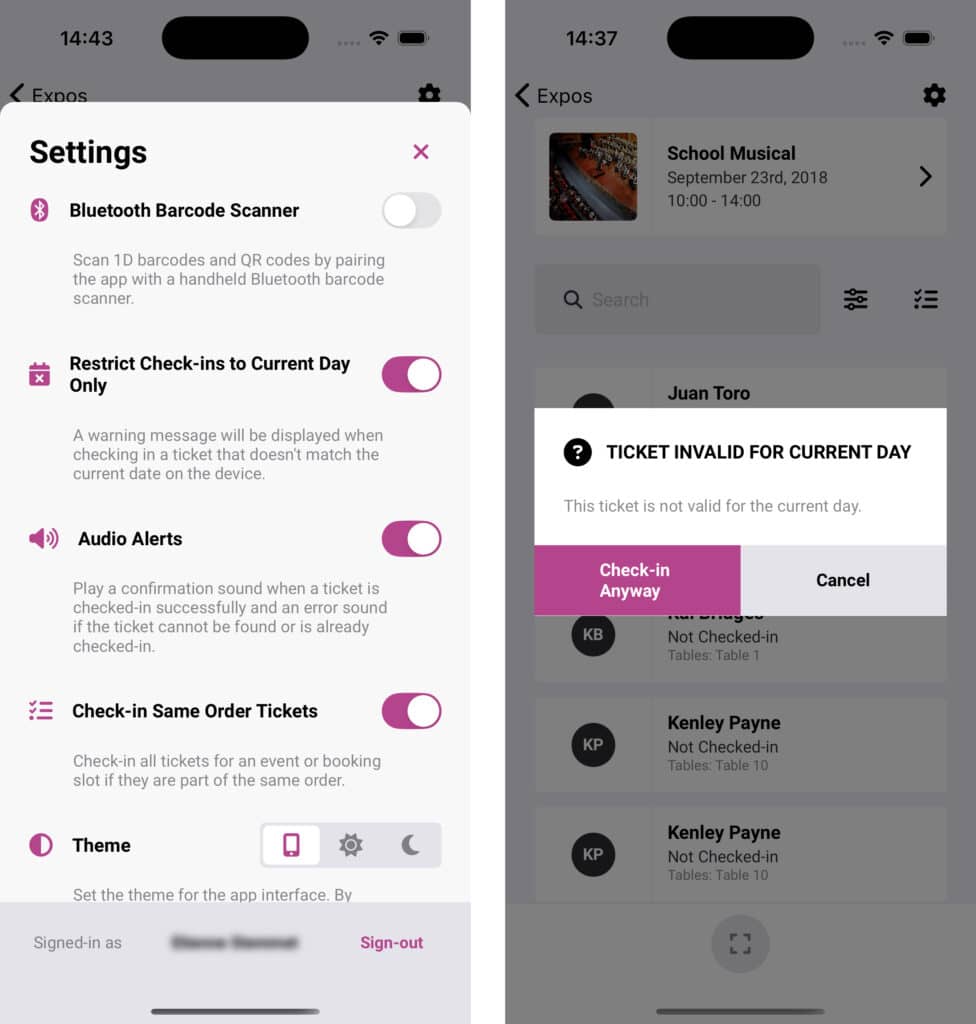
When an attendee attempts to check-in and the valid ticket date does not match the current date on the check-in device, an alert will display in the Check-ins app. It will then give you the option to check-in the attendee anyway or cancel the check-in. The ticket can then still be used on the day that it is valid for.
 English
  German
  Dutch
Dutch  Spanish
  Italian
  Portuguese
  French
  Polish
  Czech
Czech  Greek
Greek